

Artificial intelligence has completely transformed the way we work, create, and manage our daily schedules. But if you are only using ChatGPT for basic Google-style searches, you are leaving an incredible amount of efficiency on the table. The true magic of AI doesn’t lie in the tool itself—it relies entirely on your command strategy.
Think of prompt engineering like structural keys: using the exact right combination of words instantly unlocks highly accurate, tailored, and sophisticated outputs. By integrating these 40 strategic shortcuts into your workflow, you can bypass generic walls of text, force the AI into specialized professional mindsets, and instantly format data precisely how you need it.
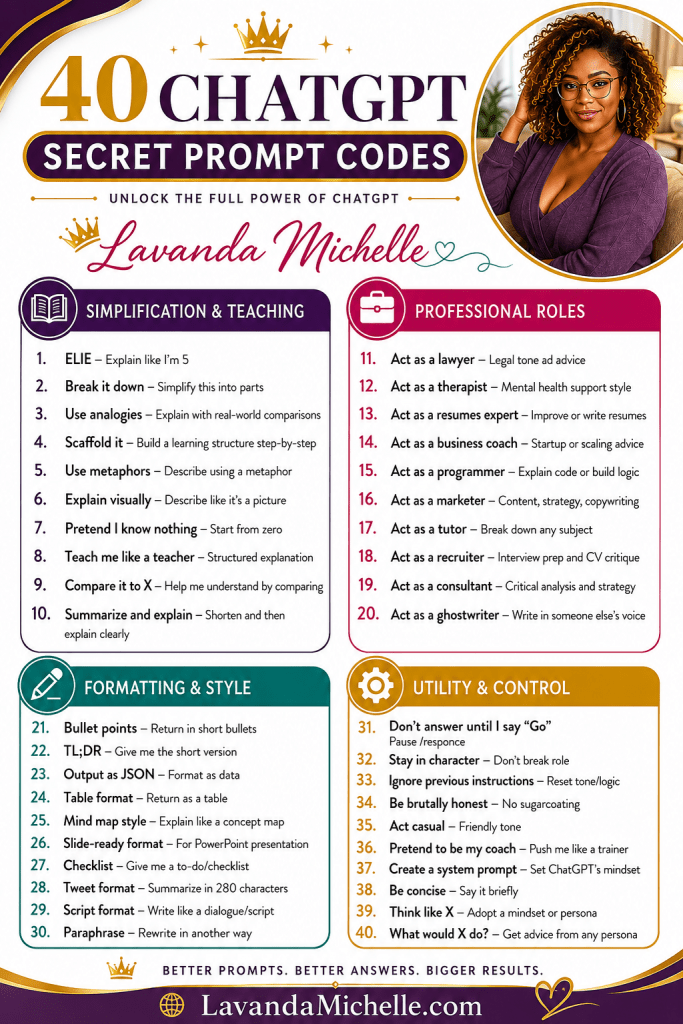
Let’s dive deep into the 40 essential shorthand “codes” that will completely revolutionize your digital productivity:
Module 1: Simplification & Teaching
When you need to conquer complex topics, strip away jargon, or master an unfamiliar concept from scratch.
- ELI5 (Explain Like I’m 5): Forces the AI to use simple language, basic vocabulary, and foundational concepts. Perfect for breaking down complex economics, tech integrations, or scientific theories.
- Break it down: Instructs ChatGPT to dissect a large project, goal, or topic into small, manageable, chronological parts.
- Use analogies: Commands the AI to explain abstract ideas using real-world comparisons, making unfamiliar concepts immediately relatable.
- Scaffold it: Builds a step-by-step learning structure, allowing you to master basics before moving to intermediate details.
- Use metaphors: Re-describes a technical theme using poetic or conceptual metaphors to tap into creative understanding.
- Explain visually: Instructs the AI to describe a concept using highly descriptive, spatial imagery—almost like explaining a picture to someone.
- Pretend I know nothing: Resets the communication baseline completely to zero, skipping industry assumptions or advanced terminology.
- Teach me like a teacher: Enforces a formal, structured lesson plan layout, often complete with mini-quizzes or knowledge checks.
- Compare it to X: Helps you quickly grasp a new concept by drawing direct parallels to a framework you already fully understand.
- Summarize and explain: Condenses a massive block of text into a brief executive summary, immediately followed by a clear, thorough explanation of its significance.

Module 2: Professional Roles
Instantly shift ChatGPT out of a generic assistant persona and command it to adopt the precise mindset of an elite industry expert.
- Act as a lawyer: Adopts a highly precise, formal, and analytical tone focused on corporate logic and risk assessment.
- Act as a therapist: Shifts the AI into an empathetic, supportive, reflective, and non-judgmental listening style.
- Act as a resumes expert: Transforms the system into a technical writer optimized for career branding, keywords, and layout impact.
- Act as a business coach: Delivers advice geared entirely toward startup growth, scalable operations, and strategic scaling.
- Act as a programmer: Focuses clean communication around coding languages, structural logic, and rigorous bug fixing.
- Act as a marketer: Locks in an output built for conversion, branding voice, copywriting psychology, and target audiences.
- Act as a tutor: Provides collaborative, patient, and guided assistance designed to walk you through academic or practical topics.
- Act as a recruiter: Unlocks realistic interview preparation scenarios, intense role-playing, and critical CV formatting critiques.
- Act as a consultant: Approaches your query with data-driven critical analysis, identifying gaps and outlining corporate solutions.
- Act as a ghostwriter: Seamlessly adapts its writing style to mimic your personal cadence, vocabulary choices, and brand voice.

Module 3: Formatting & Style
Control the visual layout of your outputs. Stop reading dense paragraphs and force the AI to return data tailored for immediate use.
- Bullet points: Strips out conversational preamble and returns data strictly in short, punchy, scannable lists.
- TL;DR (Too Long; Didn’t Read): Demands a hyper-abbreviated, one-to-two sentence overview of any document or concept.
- Output as JSON: Formats text cleanly into standard code-ready data blocks, ideal for programmers and web developers.
- Table format: Groups contrasting or complex data sets into neat, perfectly organized rows and columns for quick comparison.
- Mind map style: Outlines information hierarchically using a conceptual map style to show how sub-topics branch off from main ideas.
- Slide-ready format: Segregates text into clear headers, main talking points, and visual slide directions optimized for PowerPoint.
- Checklist: Formats instructions directly into an actionable, satisfying to-do list format.
- Tweet format: Automatically summarizes any concept, article, or topic into a punchy statement under 280 characters.
- Script format: Writes the requested output as a dynamic dialogue script, defining characters, lines, and staging directions.
- Paraphrase: Takes your existing copy and rewrites it using fresh phrasing while perfectly maintaining the core message.
Module 4: Utility & Control
Establish boundaries, enforce logic constraints, and maintain absolute authority over how the AI processes your requests.
- Don’t answer until I say “Go”: Pauses the engine’s response mechanism. This allows you to paste massive amounts of context or multiple text blocks in sequence without triggering early, incomplete answers.
- Stay in character: Strict reinforcement command that prevents the AI from breaking a designated persona mid-conversation.
- Ignore previous instructions: Wipes the structural slate clean within a chat session, letting you reset logic constraints without opening a new window.
- Be brutally honest: Commands the AI to remove polite, sugarcoated fluff and deliver highly critical, direct feedback on your work.
- Act casual: Shifts the response into an conversational, informal, and relaxed tone that feels like talking to a helpful peer.
- Pretend to be my coach: Instructs the AI to push you aggressively toward discipline, accountability, and your health or professional milestones.
- Create a system prompt: Asks ChatGPT to construct the ultimate hidden system prompt to lock in a specific, recurring AI mindset.
- Be concise: Enforces brevity, stripping out unnecessary filler phrases and getting straight to the core solution.
- Think like X: Commands the AI to adopt the specific ideology, critical framework, or philosophy of an iconic figure or historical thinker.
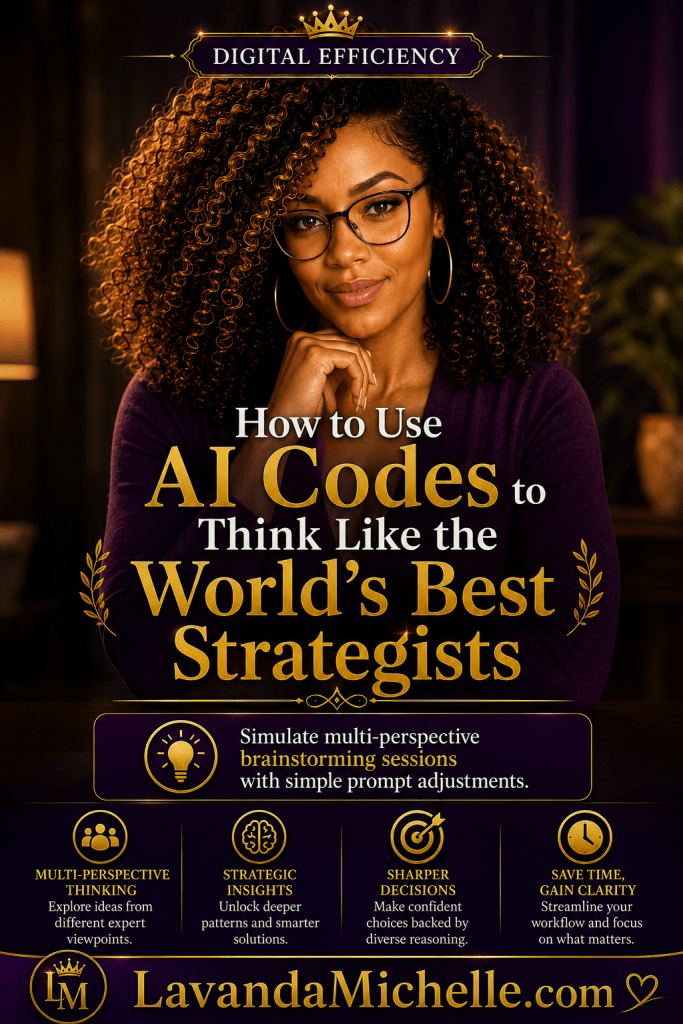
- What would X do?: Simulates a multi-perspective brainstorming session by analyzing how a specific target persona would solve your current problem.

Better Prompts, Bigger Results
Mastering these shortcuts isn’t about working harder; it’s about establishing clear command lines with your AI workflow. When you learn how to step up as an intentional prompt architect, you save hours of digital exhaustion and unlock incredibly accurate results.
Pick two or three codes to weave into your routine today, and watch your productivity scale. You are entirely worth the efficiency!
Be prepared. Be confident. Be you.


What are your thoughts about 40 ChatGPT Secret Prompt Codes: Unlock the Full Power of AI Please share in the comments below. I really would love to know.
Until next time, shine amongst the stars!
‘This post may contain affiliate links
If you haven’t made enough money blogging, look into taking the
Complete Guide to Make Money Blogging for only
($10… WOW 95% Off for a limited time).

Work smarter, not harder! 💻✨ Unlock the full power of AI with 40 secret ChatGPT prompt engineering shortcuts to instantly format data, adopt expert roles, simplify learning, and save hours of time. 🚀


I especially like how the tips are organized into categories, making it easy to find the right approach for different tasks. Small prompt tweaks really can make a big difference in the quality and usefulness of AI responses, so this is a helpful resource for both beginners and experienced users.
Thanks for sharing this information. I will certainly check it out.
These are cool. I never understood AI. This helps a lot, especially with job interviewers asking about our AI knowledge.
I own a small bakery. This will certain aid in my marketing and trivia night.